This is an old revision of the document!
Niente Version 5.05 Released
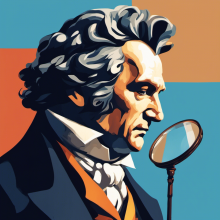 I have just released (almost on-time!) the latest version of Niente: version 5.05. The changelog, as ever, has all the details, but the short version is that there was a fairly nasty bug concerning Niente and ReplayGain, which is now fixed; and there's been a whole truck-load of flim-flammery concerning Niente's visual appearance. The story there is, basically, to bring it in-line with how all my other software works (or is about to work): colour selection and a graphical logo.
Unfortunately, these changes mean that the upgrade process is not as simple as using the Administration menu, Option 5. It's a little bit more convoluted than that! Here goes:
First, make a note of all your existing configuration settings. We're going to wipe these shortly and you'll need to be able to put them back later. So take a screenshot now of Administration menu, Option 5 and or otherwise note the contents of that configuration setting: we're going to need to use that as a template later.
Next, you need to ensure that both libsixel and kitty are installed, so that Niente can do its new 'graphical logo thing'. How you do that depends on your distro:
- Fedora: sudo dnf install libsixel libsixel-utils
- Mint: sudo apt install libsixel-bin
- AlmaLinux10: sudo dnf install kitty
I should explain that I cannot find a way to install sixel graphics support on AlmaLinux 9 or 10, so we don't bother and instead install the Kitty terminal, which is a completely different ball-game that still manages to install support for doing in-terminal graphics. Note that this means either that 1) you can't use 'gnome terminal“ to run Niente going forward; or 2) if you insist on using gnome-terminal, you're not going to see the 'beethoven looking grumpy' logo.
Anyway, once those new packages are installed, you fire up Niente and take the Administration menu, Option 5: Check for software updates. Follow the prompts and the upgrade process should complete without error… except that you're very likely to see variations on this unholy mess at the end of it:
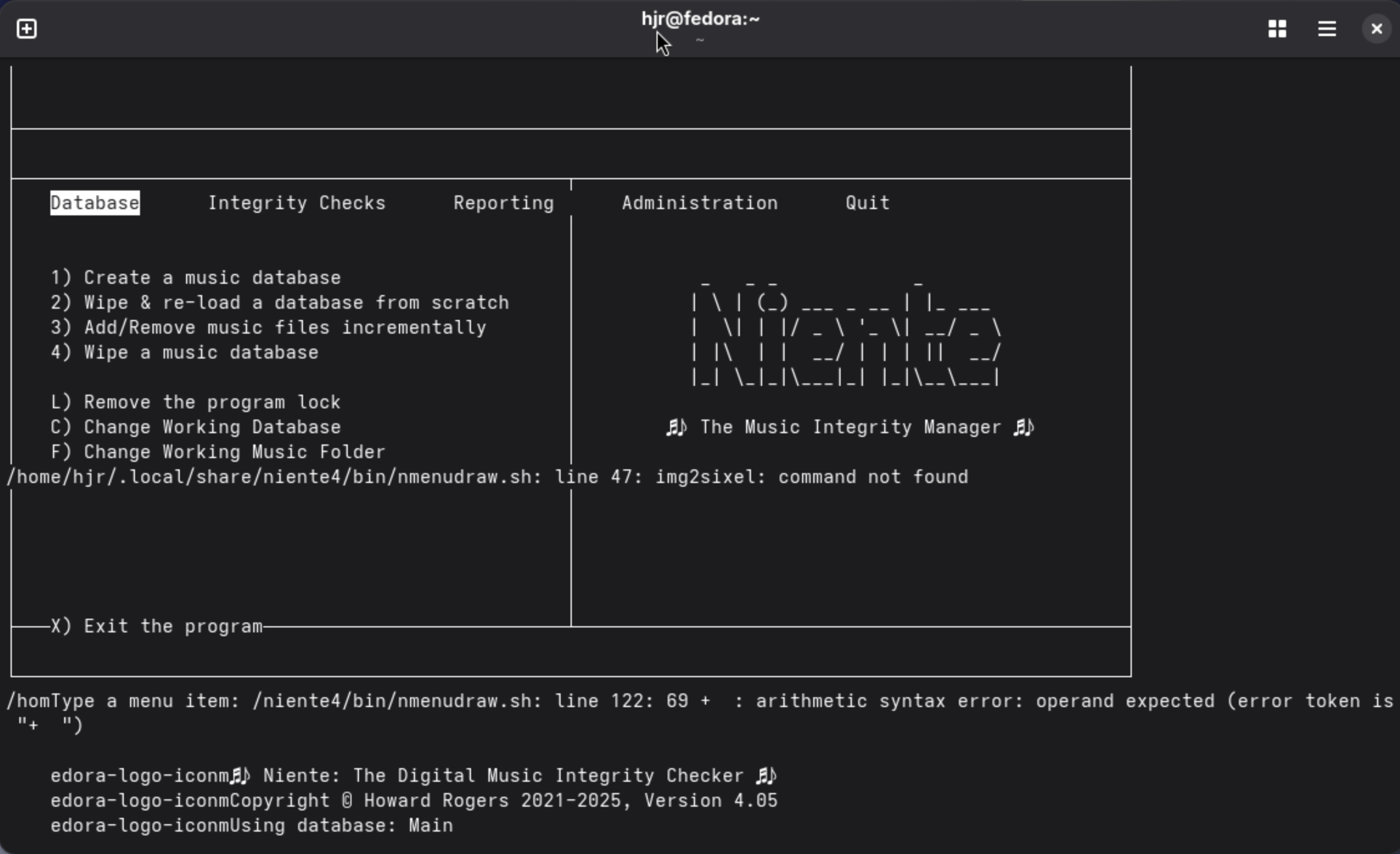
Don't panic! At this point, exit Niente (tap 'x') and then issue this command:
rm -f $HOME/.local/share/niente/txt/niente.conf
That deletes your specific persistent configuration file, because the absence of such a file triggers Niente to create a default one, containing all the new parameters that the new version expects to find. Of course, this also means that the new configuration file will be missing all the really important personalised settings you may have set previously: that's why you were told to make a note or screenshot of those existing settings before we started! You did do that, didn't you?!
Now you can re-launch Niente (on AlmaLinux, this must be from within Kitty): you will likely be warned that your new, default configuration file mentions a database called “niente” (the default name), but that no such database exists:
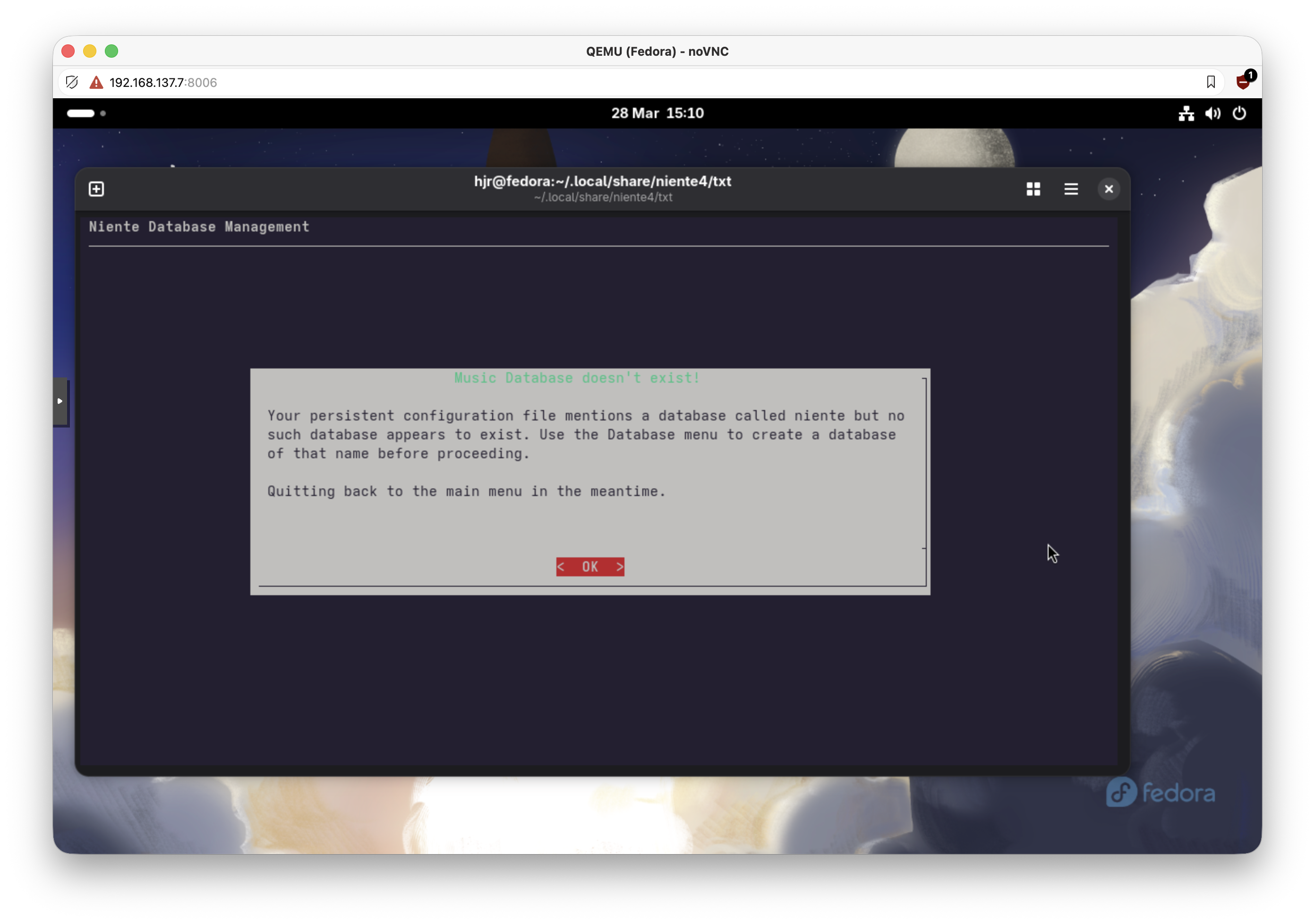
Again, this is the consequence of having deleted your original configuration file. It's expected, so click [OK] and Niente will launch in its new 4.05 guise. Immediately visit the Administration menu and take the Edit Configuration File option. Put back all the 'correct' configuration file options you previously made a note of, such as the default database name. Make sure you add in values for 'Preferred browser', for example. If you are on AlmaLinux, you must switch on “Use Kitty Graphics”: set it to a value of “yes”. Quit Niente once more and then immediately relaunch into it: you should now find that you're viewing Niente correctly, with colour, and with a colourful logo in the left-hand pane:
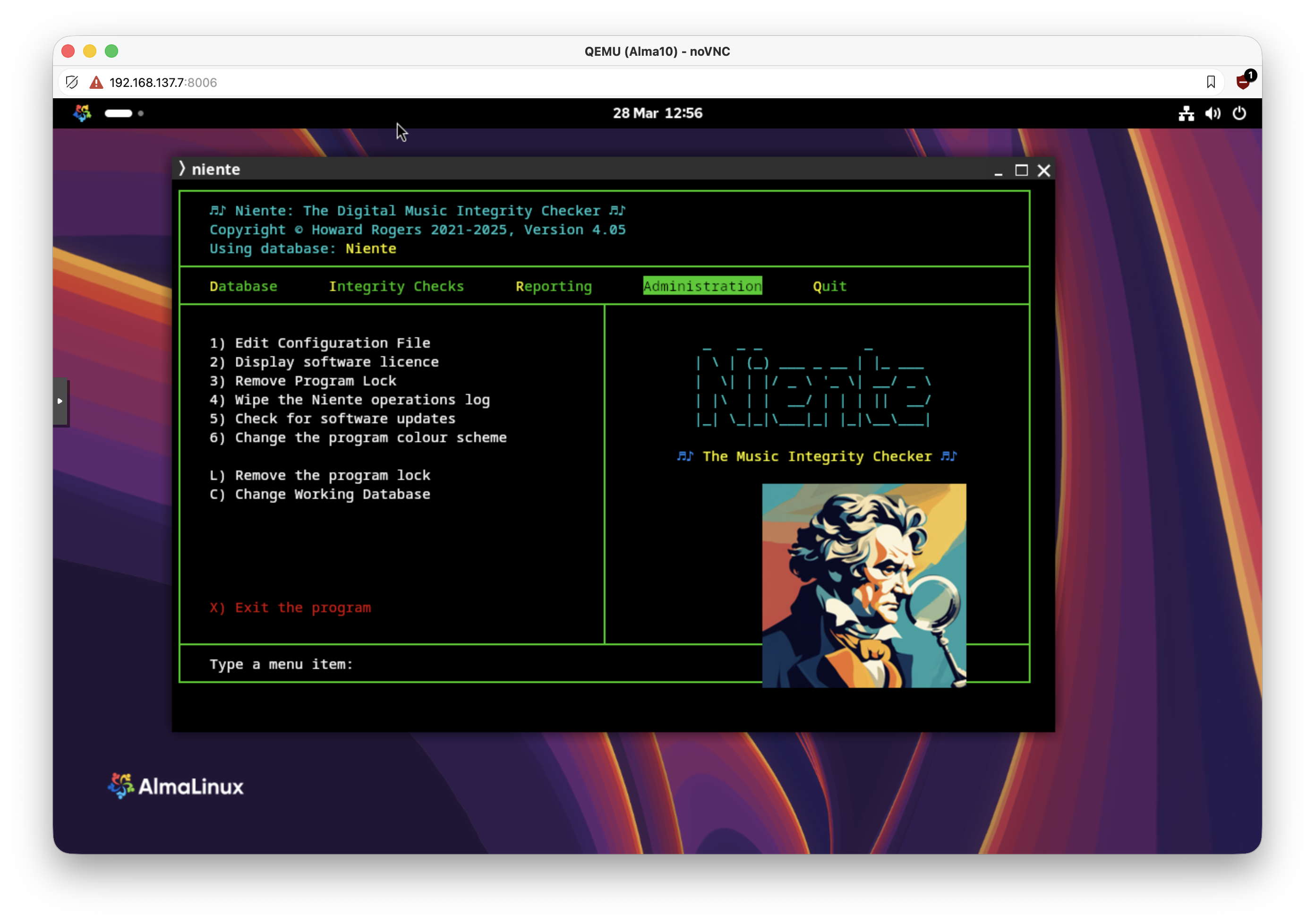
You may well notice, as in this screenshot, that the logo is way too big and in completely the wrong place! Again, don't panic: you have the Administration menu, Option 1 to adjust the 'Size of the Program Logo' and the “Program Logo position'. On my particular virtual machine, displaying on an iMac (so who knows what the right settings might be on real hardware?!), I found setting the logo size to “110” and the position to ”-5” to be ideal:
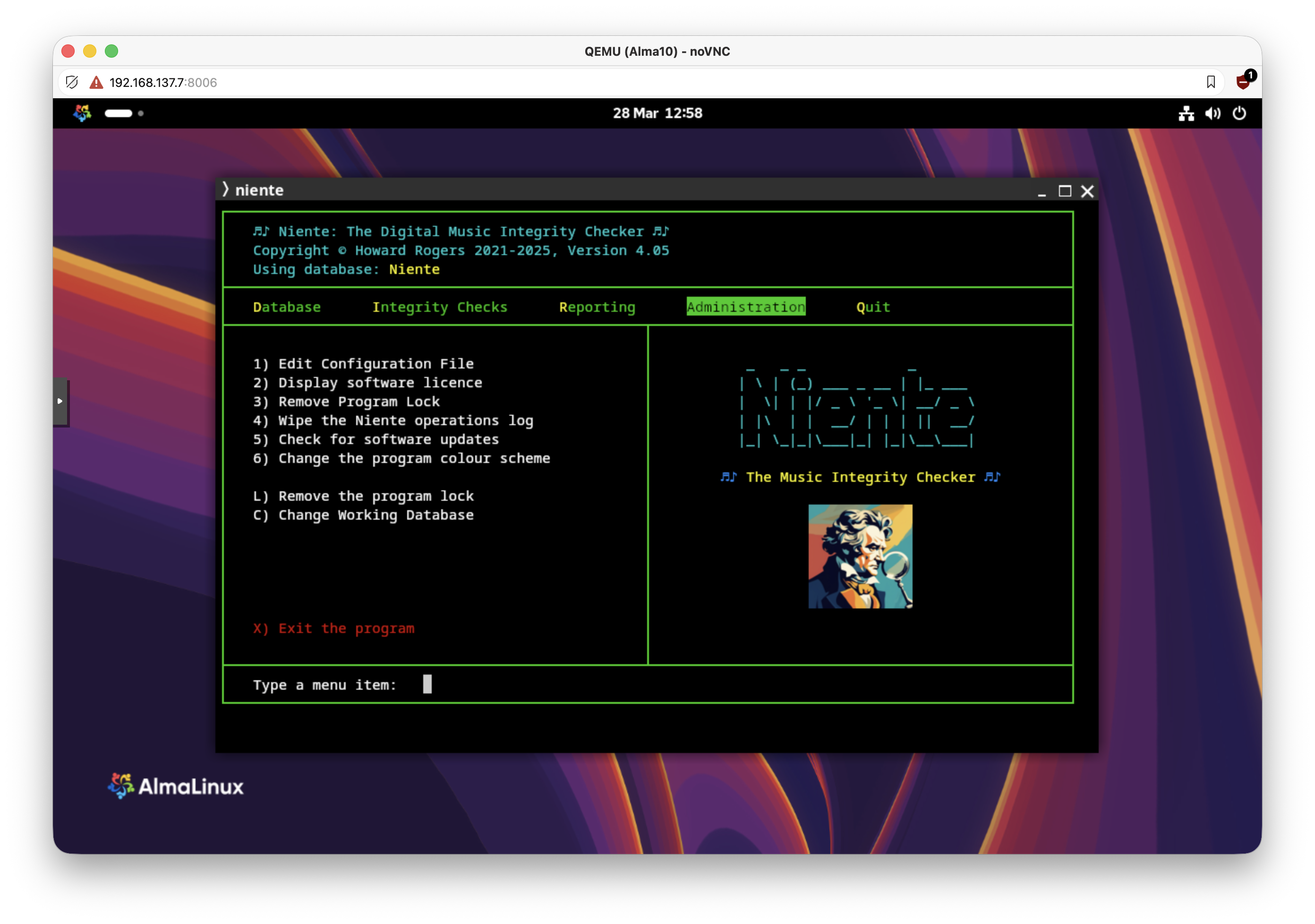
Play around as you like… and then consider taking the Administration menu, Option 6 to fiddle with the colour values associated with the various program display elements.
I'm sorry the upgrade process is a bit more convoluted than normal this time around. If you prefer, you can simply re-install Niente from scratch:
wget software.bbritten.com/neninst
bash neninst
A fresh install automatically installs the Kitty terminal and libsixel components needed to get that graphical logo displayed correctly. For a mere upgrade, you have to take care of those extra component requirements manually, I'm afraid. It is a once-off requirement!
Additionally, note that you don't have to run Niente with a graphical logo. If you would prefer to run Niente on AlmaLinux (for example) in the gnome-terminal, without switching on Kitty graphics, that will work just fine:
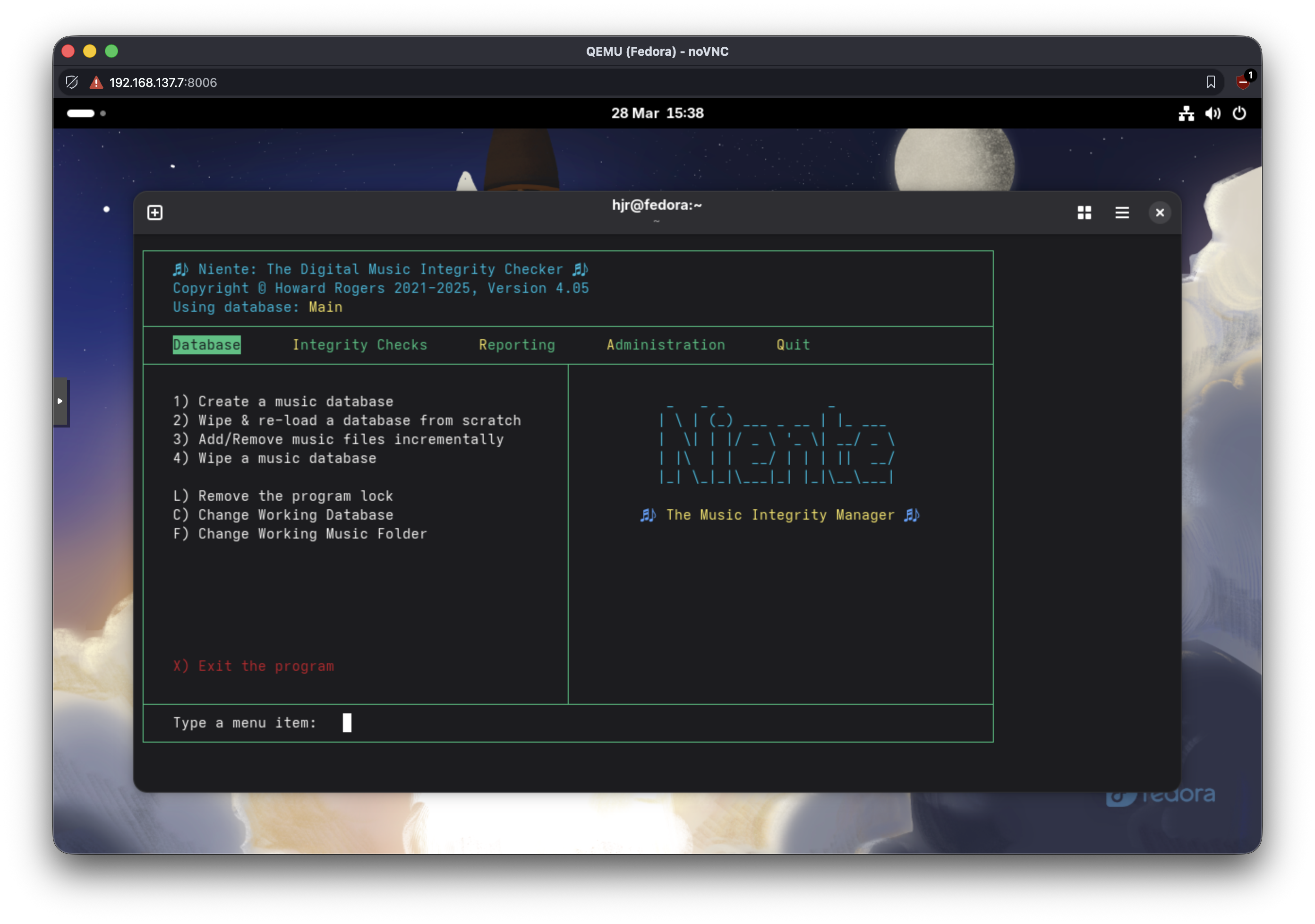
You just won't see the 'grumpy beethoven' icon on the right-hand side (which some might prefer, the Luddites!)
Note that unmentioned in the changelog is a bunch of code tidying that is really rather important that you have: I can't tell you the number of subtle code howlers I spotted whilst preparing this release! So I'd encourage you to upgrade, apologise again for the extra steps required, and assure you that nothing this big should happen again for quite a long time!