MacOS Woes (part #94)
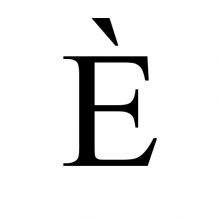 I'm two months into my 'exciting' adventure with macOS! For the most part, it's been fine, even if the windows handling is primitive and its privacy/security settings can seem a bit over-eager at times. Today, however, I got really cheesed off! The problem is a big one for fans of classical music who are forever having to tag things with ß, ä or è characters. Like me who, yesterday, finally got around to cataloguing a performance of Ernest Chausson's Poème.
The first issue is how you type foreign characters on an iMac at all: it has its own native way of doing it (for example, holding down the 'e' key will, in most situations, produce a pop-up from which you can select the appropriately-accented version), but that doesn't work in Semplice because all you get by holding down the 'e' key there is 'eeeeeeeeeee'! Anyway, I sorted this out way back in January in a way documented (roughly) here: see the section headed "Compose Key". I can now type “poème” as I would have done on any Linux machine: tap right-command, press `, press e: job done!
This morning, however, I played the piece I catalogued yesterday and saw this in Giocoso:
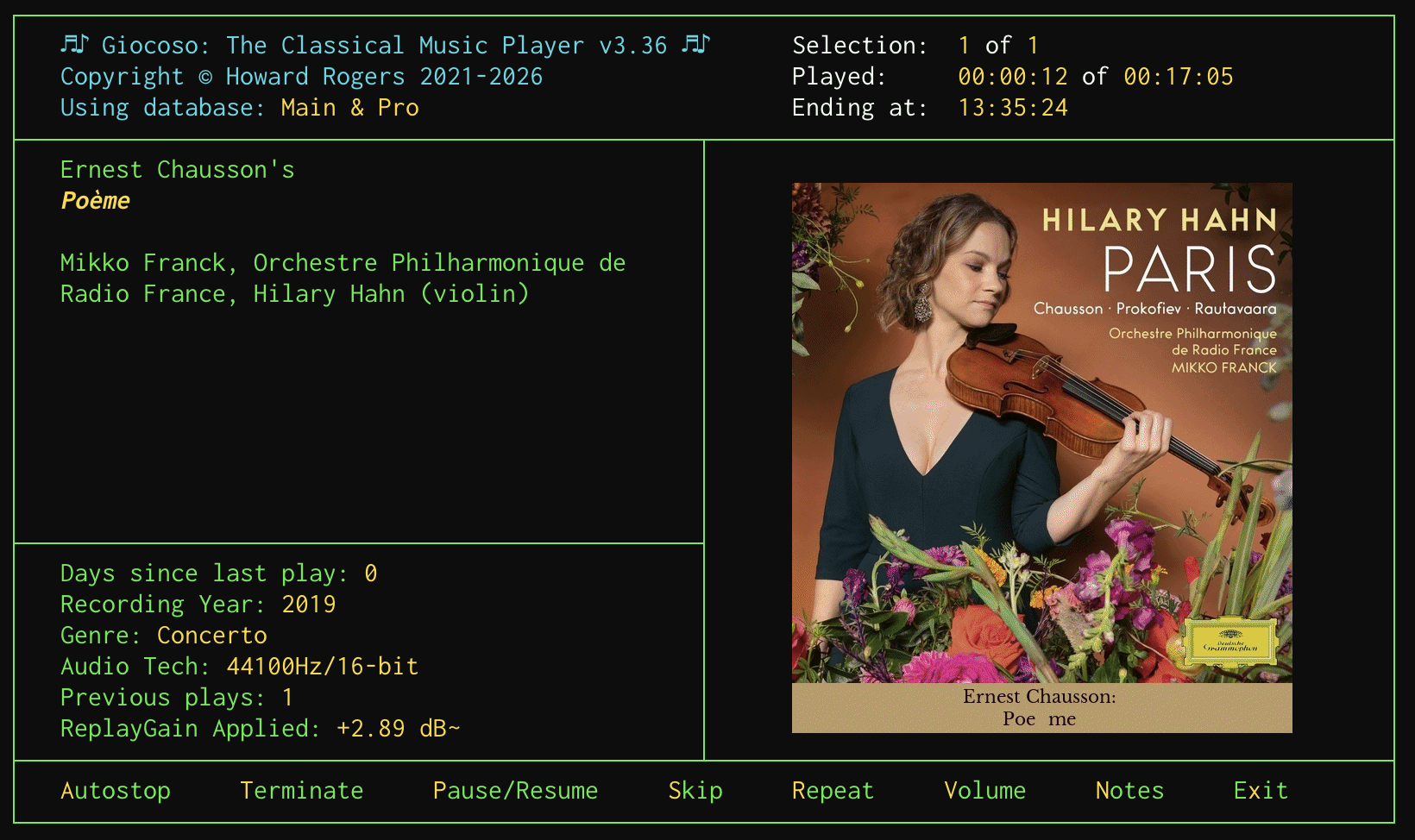
In case it's not obvious, let me zoom in on the artwork display there:

Rather than “Poème”, we have Giocoso rendering things as “Poe me”: no accent, but an extra space. But look over on the left-hand side of the Giocoso display: there the work is rendered as “Poème” entirely correctly! And here's the thing: both the artwork and the left-hand side text are both being read from the same metadata tag (in this case, the ALBUM tag). So what's going on?!
The issue basically boils down to the fact that (unbeknownst to me!) there are actually two Unicode renditions of any given character. We might call them “composed Unicode” and “decomposed Unicode”, because the point is that è can be represented as a single, merged glyph or character, or as a combination of the separate “e” and “`” characters. Linux uses the “composed” version of accented characters… and, guess what?!, macOS uses the “decomposed” version. The net result is that, if you tag your music on macOS, you think you're typing a single, composed è, but macOS steps in and stores it as the decomposed “e+`” equivalent. Text applications tend to render either version identically (which is why the left-hand side of Giocoso gets it right), but ImageMagick, the graphical program that's used to generate the artwork and captions for the right-hand side of Giocoso's display, does not.
What's particularly annoying about this is that my Karabiner Elements keybindings explicitly produce composed Unicode in the NFC form… yet macOS takes it upon itself to decompose the resulting character and store it in the decomposed, NFD form. It deliberately changes what you've typed in! And in a way you'd never know, because things like file systems display the results identically.
Anyway, after some tweaking of the Semplice code and a bit of re-tagging, this was the result by this afternoon:
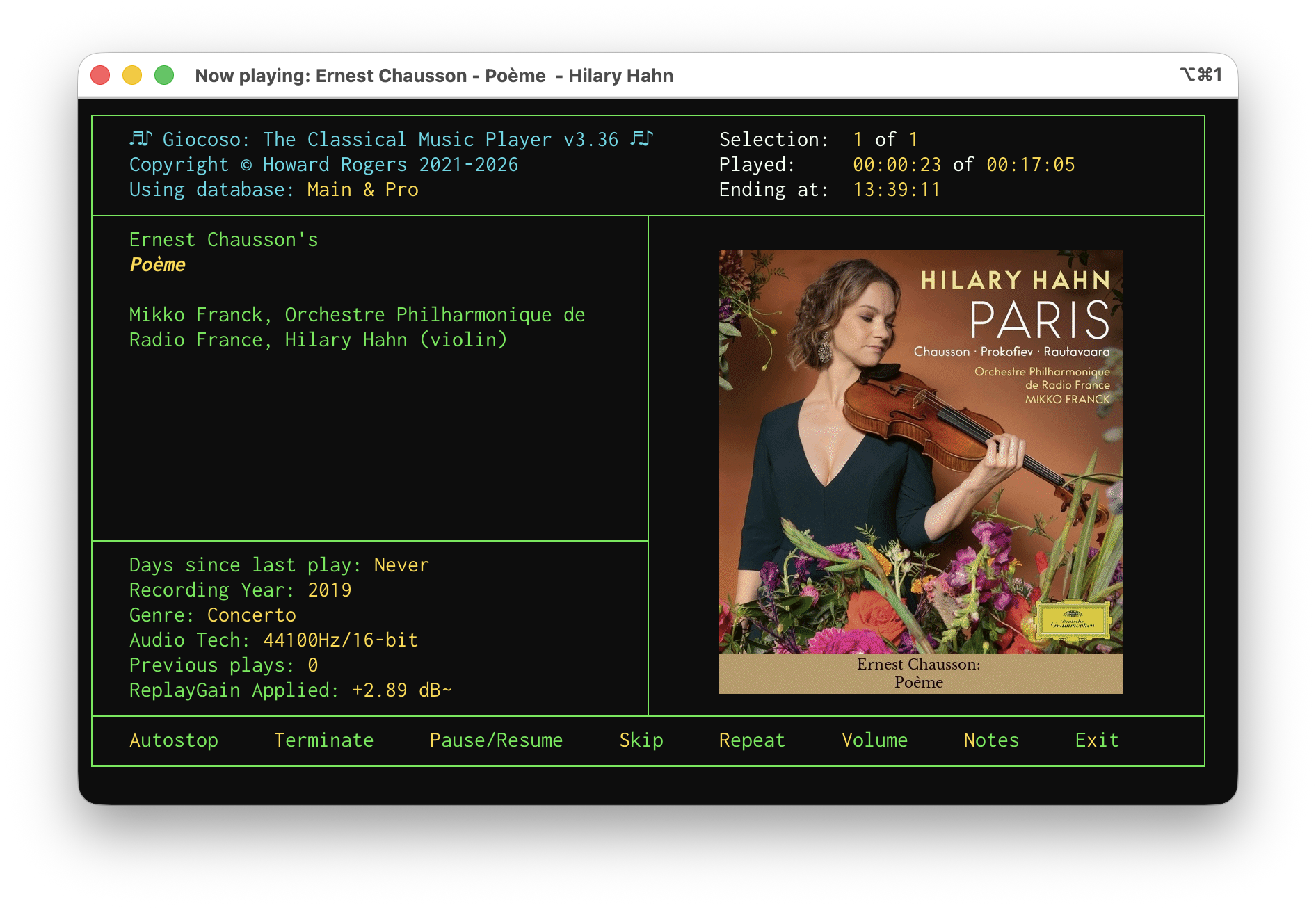
And zooming in again for clarity:

The cost of this fix? It's to make the uconv utility a dependency of Semplice on macOS (it's installed as a consequence of installing icu4c, which is done with a brew install icu4c). Semplice detects if you're running on macOS and, if so, takes your input for composer, composition, performer name as well as all other textual tags and passes them through the uconv utility to explicitly (and, this time, successfully) turn them into the composed, NFC version of Unicode that Linux recognises and prefers. If that utility is not present on your macOS then the conversion to composed Unicode doesn't happen and you may end up having to deal with captioned album art with weird spaces in it in future!
A new version of Semplice is imminent, but its release may have to be pushed back a little to ensure this latest cludge is working correctly! Watch this space, anyway. The new version will, of course, only affect fresh Semplice installations: if you're already using Semplice on macOS you'll need to install icu4c manually and, in addition, you'll need to make sure it gets into your PATH so that Semplice can find it when it needs to. Using Homebrew, the commands are:
brew install icu4c
sudo ln -s /opt/homebrew/opt/icu4c@78/bin/uconv /opt/homebrew/bin/uconv
If you're using Macports, the equivalent command is:
sudo port install icu
The “4c” part of the name is omitted and there's no need to link anything when using Macports, as the install ends up going into your existing PATH anyway.
It's annoying that there is such a low-level discrepancy in the way macOS and Linux handles such a fundamental issue. I wasn't aware of it earlier, simply because I hadn't done a lot of tagging work on macOS that involved characters with accents and the like… but the minute I started, the problems erupted, too! Hopefully fixed, anyway.